v2.7 (latest)
Create a Ruleset from Scratch
This guide explains how to create a Ruleset from scratch.
Before you begin
- Think of a self-explanatory and specific name for your ruleset. For example,
Loan discount calculationis clearer thanLoanCalculation.
Create a Ruleset
Navigate to the Service page.
Click +Ruleset and select Blank ruleset to create a ruleset.
↳ The Add new ruleset pop-up opens.In the Ruleset name field, enter the name you want to give the ruleset.
Click OK.
↳ Rulecube creates the ruleset and shows the General settings page for the ruleset: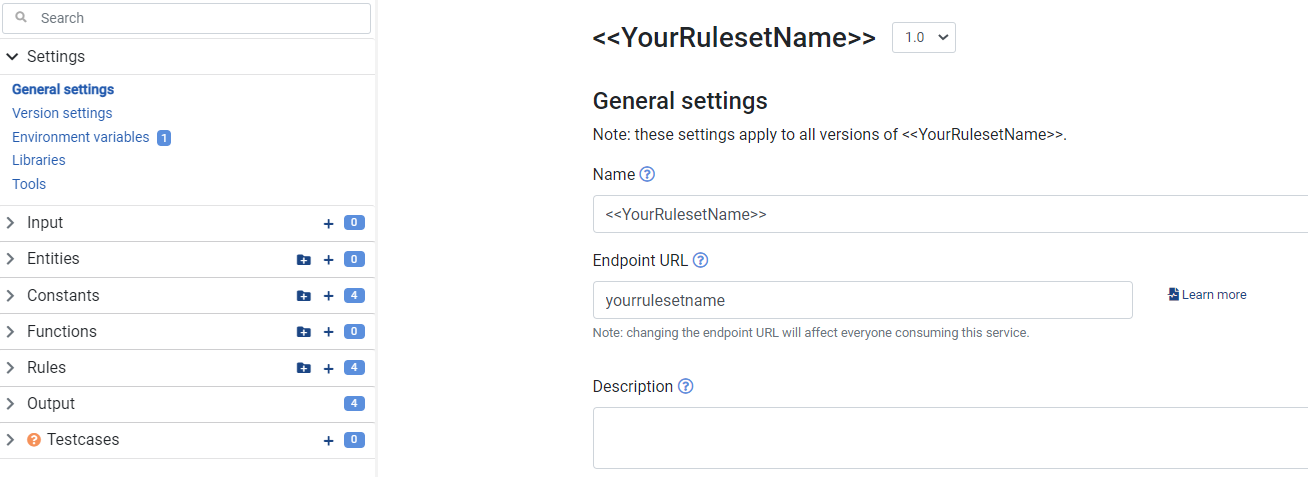
If you want to change the automatically generated endpoint URL, in the Endpoint URL field, enter your endpoint.
If you want to store a description of your ruleset for later reference or colleagues, in the Description field, enter your description.
If you changed the endpoint, description, or both, click Save.