v2.7 (latest)
Activate your account from an invitation
This guide explains how to activate your Rulecube account from an invitation email. After completing the steps, you can access your Rulecube tenant and build rulesets.
Before you begin
- Make sure you have received an invitation email.
Activate your account
- Open your invitation email. The content should look like this:
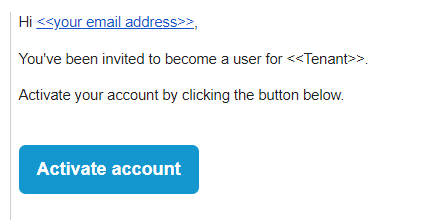
- Click Activate account.
↳ Your default browser opens a new tab with the Activate your account page: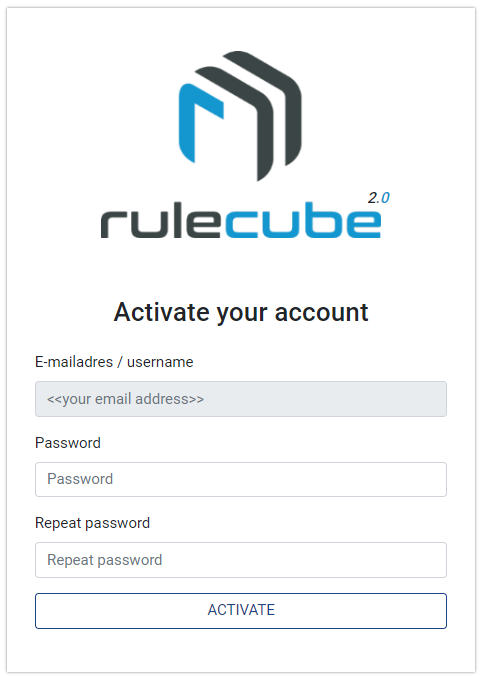
- Enter a password of your choice, and enter the same password in the Repeat password field.
Use the Suggest password functionality of your browser to generate a strong password and let your browser store the password in the Password manager.
- Click Activate.
↳ Rulecube activates your account and shows the Services page of your tenant. And you're set now to work with Rulecube.
Bookmark the Rulecube Services page in your browser so you can quickly return to it later.