v2.7 (latest)
Configure On form loaded actions
This guide explains how to configure actions that run automatically when the form is first loaded — before the user interacts with anything. Use this to pre-populate fields, show a welcome message, load data, or set default values.
How to add:
- Go to tab Settings
- Under On form loaded actions, click
+ - Select the action type (e.g.
Execute ruleset,Set variable,Show toast message) - Configure the action
- Save the Ruleset
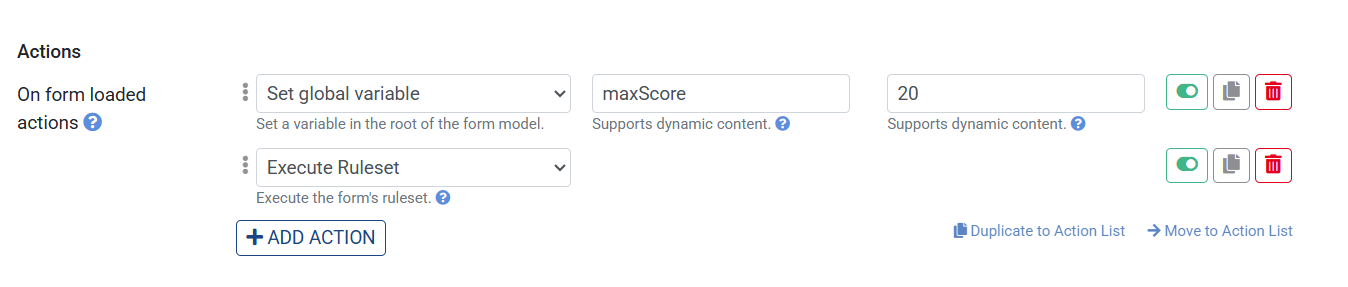
Show a welcome toast on load:
- Go to tab Settings
- Under On form loaded actions, click
+ - Select
Show toast message - Set Message to
Welcome! - Save and click Preview
The toast appears immediately when the form loads.
Tip: On form loaded actions run in sequence, just like On click and On change actions. You can chain multiple actions — for example, execute a ruleset first to fetch data, then set a property based on the result.