v2.7 (latest)
Recover your password
This guide explains how to recover your Rulecube password, so that you can access Rulecube again and work on your rulesets.
- Open your browser and navigate to your Rulecube link to open the Login page:
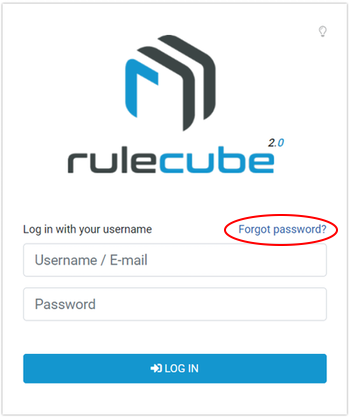
- Click Forgot password?
↳ The Forgot password pop-up opens. - In the E-mail field, enter your e-mail address and click OK.
↳ Rulecube sends you a Reset your password e-mail. - Open the reset e-mail and click the URL in the e-mail.
↳ Your browser opens a new tab and shows the Reset your password page: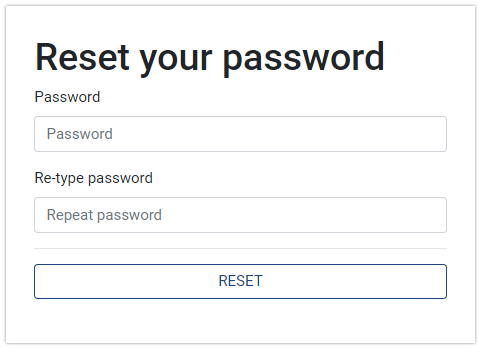
- Enter your password and retype it in the Re-type password field.
Use the Suggest password functionality of your browser to generate a strong password and let your browser store the password in the Password manager.
- Click Reset.
↳ You've recovered your password, and Rulecube opens the Services page. You can now continue working with Rulecube.