v2.7 (latest)
Create a Select Input
This guide explains how to add a select (dropdown) input element to a Rulecube Form.
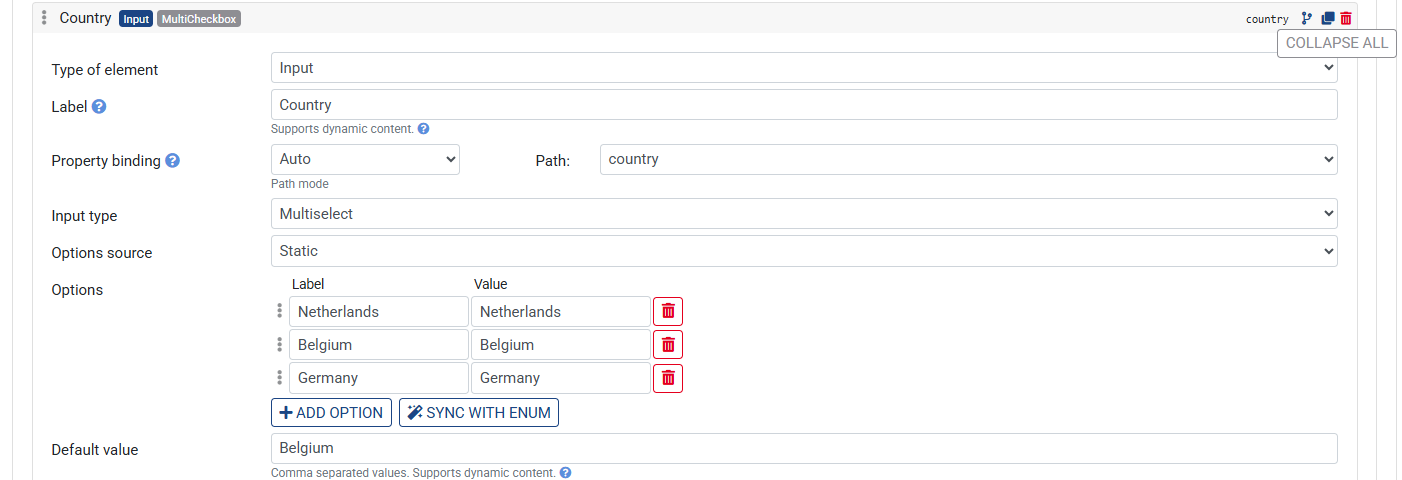
A select input renders a dropdown with a fixed list of options.
Prerequisites: Add an Input country to your ruleset, set Type to enum and add Netherlands, Belgium, Germany as Possible values.
Steps:
- Click + Element and choose Input
- Expand the element
- Set the Label to
Country - Under Property binding, set the Path to
country - Set the Input type to
MultiSelect - Add options in one of two ways:
- Click Add options to add options manually
- Click Sync with enum to automatically add the options from the bound enum input
- Save the Ruleset