v2.7 (latest)
Working with Data sources
This guide explains how to create a user interface where the user can manage a list of entities in a table.
If you're not yet familiar with Persisted Entities, please read persisted-entities first.
Persisted Entities can be used to populate a Form Table. This will enable the user to easily create, update and delete instances of these entities.
Setting up the Ruleset
Enabling persistency
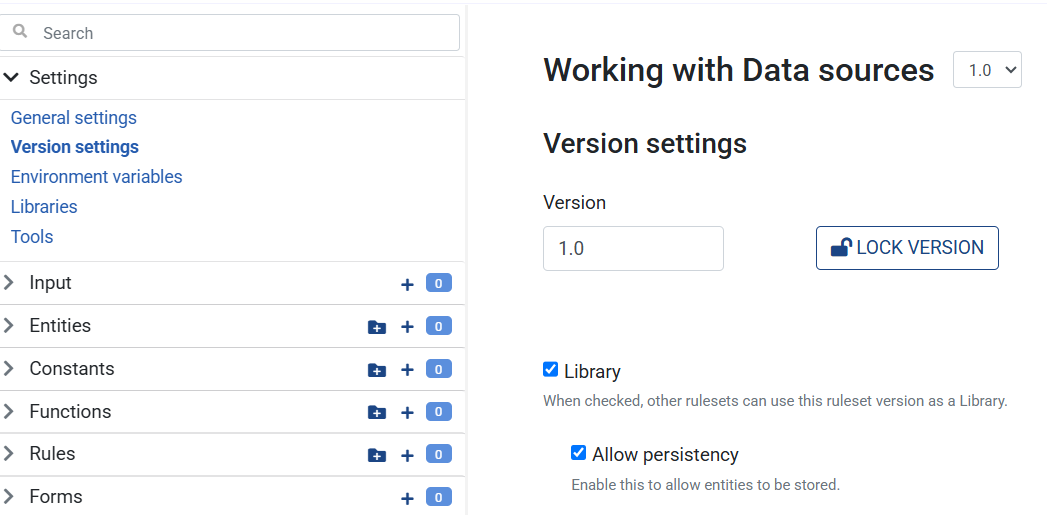
- Create a new Ruleset and go to the Ruleset's Version Settings in the left menu
- Check the 'Library' box
- Check the 'Allow persistency' box
Creating the Person Entity
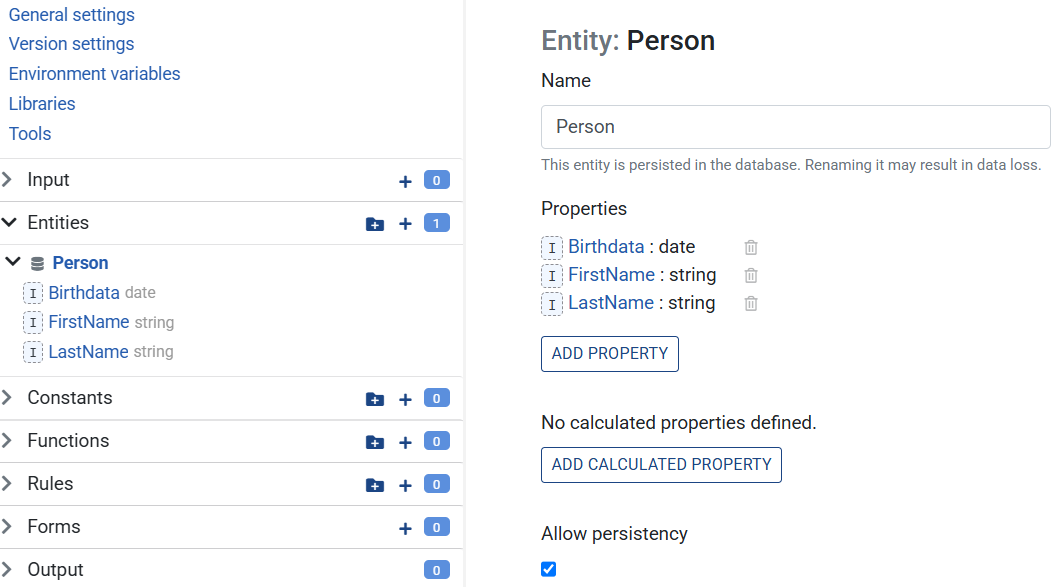
- Create a new Entity named 'Person'
- Add a 'FirstName' property of type
string - Add a 'LastName' property of type
string - Add a 'Birthdate' property of type
date - Finally, check the 'Allow persistency' box and save the Ruleset
Creating the Form
- Add a new Form to the Ruleset
- Go to the 'Data sources' tab
- Create a new Data source
- Set the name to 'Persons'
- Set the type to 'Persisted Entity'
- Set entity to 'Person'
- Go to the 'Definition' tab
- Open the first page
- Add a section and open it
- Add a 'Table' element to the section
- Set 'Property binding source' to 'Data source'
- Select the 'Persons' data source next to it
- Click on the 'Create a new one' button next to Columns
- In the popup select 'Person' and click on 'Add all base properties'
- Move the 'Birthdate' property below the name properties
- Click OK
- Save the Ruleset
- Click Preview at the top
You should now be presented with the Form and an empty table with a '+' button. You can use this to add a new Person instances to the table. When a Person instance is added, it is also persisted in the database. You can check this by refreshing the page and seeing the previously saved persons.
You can also edit and delete an instance of a Person entity.