v2.7 (latest)
Navigate to the next page on button click
This guide explains how to use On click actions to navigate between pages in a multi-page form using buttons.
- In the left menu, click the + next to Forms
- Give the form a name, for example
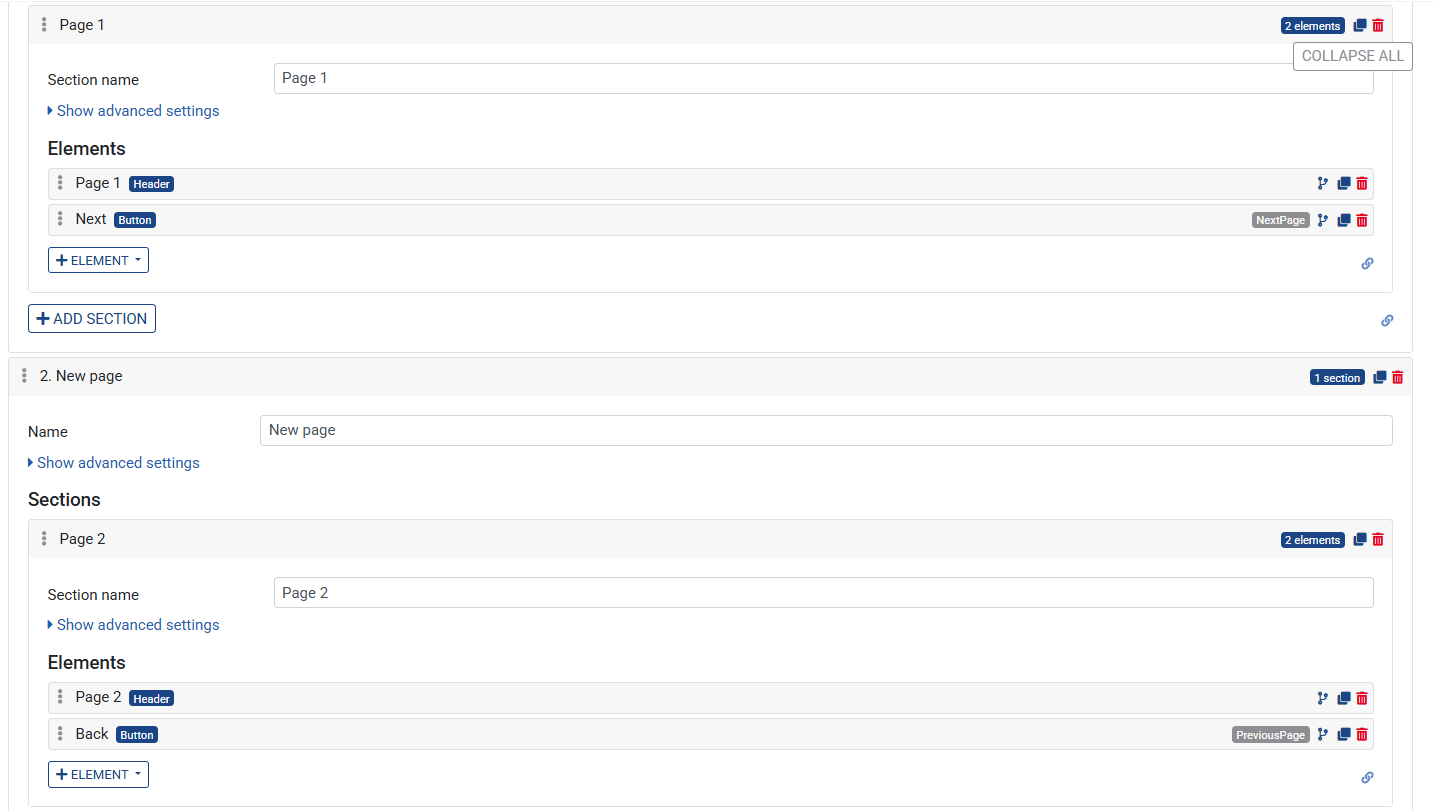
Actions - Click on the created Page element to expand it
- Add a section to the page
- Click on the Section element to expand it
- Click on the + Element button and add an element of type Header > Label: Page 1
- Click on the + Element button and add an element of type Button
- Set its Label to
Next - Under On click actions, click + → select Next page
- Add a second page with:
- Add an element of type Header > Label: Page 2
- Add an element of type Button
- Set its Label to
Back - Under On click actions, click + → select Previous page
- Save the Ruleset