v2.6
Edit a User's Role
Introduction
This guide provides the steps for editing a user's role, which allows you to expand or restrict what a user is allowed to do in Rulecube.
Before you begin
- You need to have the
TenantAdminrole to edit a user's role. - Determine what role(s) you want to assign to the user. See this authorization topic for more information about available roles.
Procedure
Click your tenant name in the menu bar.
↳ The Profile page opens with the Users section:
Click
 in the row of the user you want to edit.
↳ The Edit user roles pop-up opens: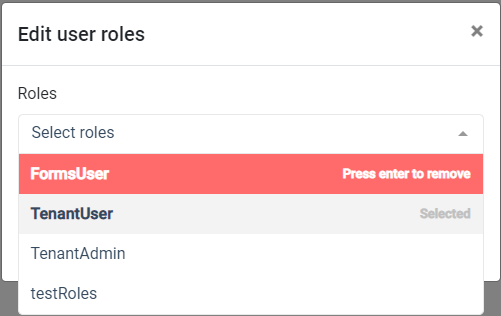
If you want to remove a role, in the Roles list, select the role—the row turns red—and press
Enter.If you want to add a role, in the Roles list, select the role—the row turns green—and press
Enter.When you finish editing roles, click OK.