v2.6
Action lists
Introduction
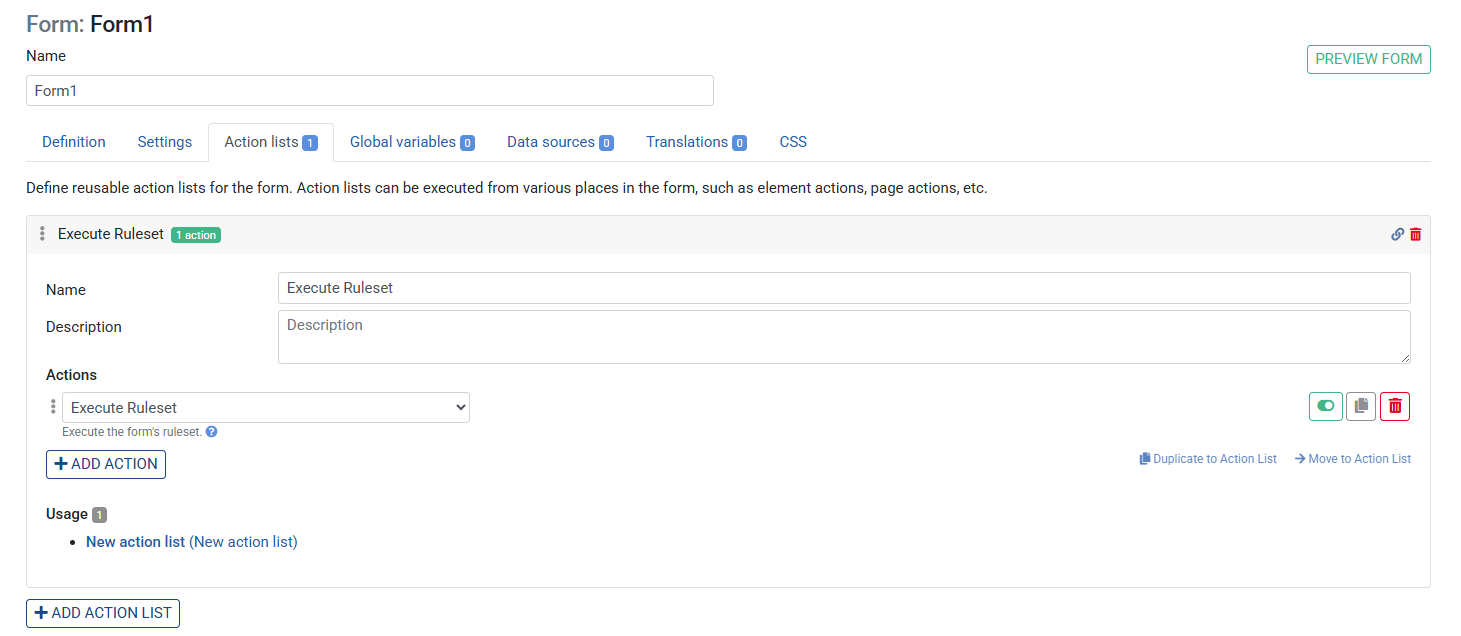
Action Lists are named, reusable collections of actions defined at the form level. Instead of duplicating the same sequence of actions on multiple buttons or inputs, you define the sequence once as an Action List and call it from anywhere in the form using the Run Action List action.
Where to find them
Action Lists are managed on the Action Lists tab of your form (next to Definition, Data sources, Translations, etc.).
Creating an Action List
- Open your form and click the Action Lists tab
- Click + to add a new Action List
- Give it a descriptive name (e.g.
SaveAndNavigate,ValidateAndSubmit) - Add one or more actions to the list — the same action types available on buttons and inputs
- Save the Ruleset
Using an Action List
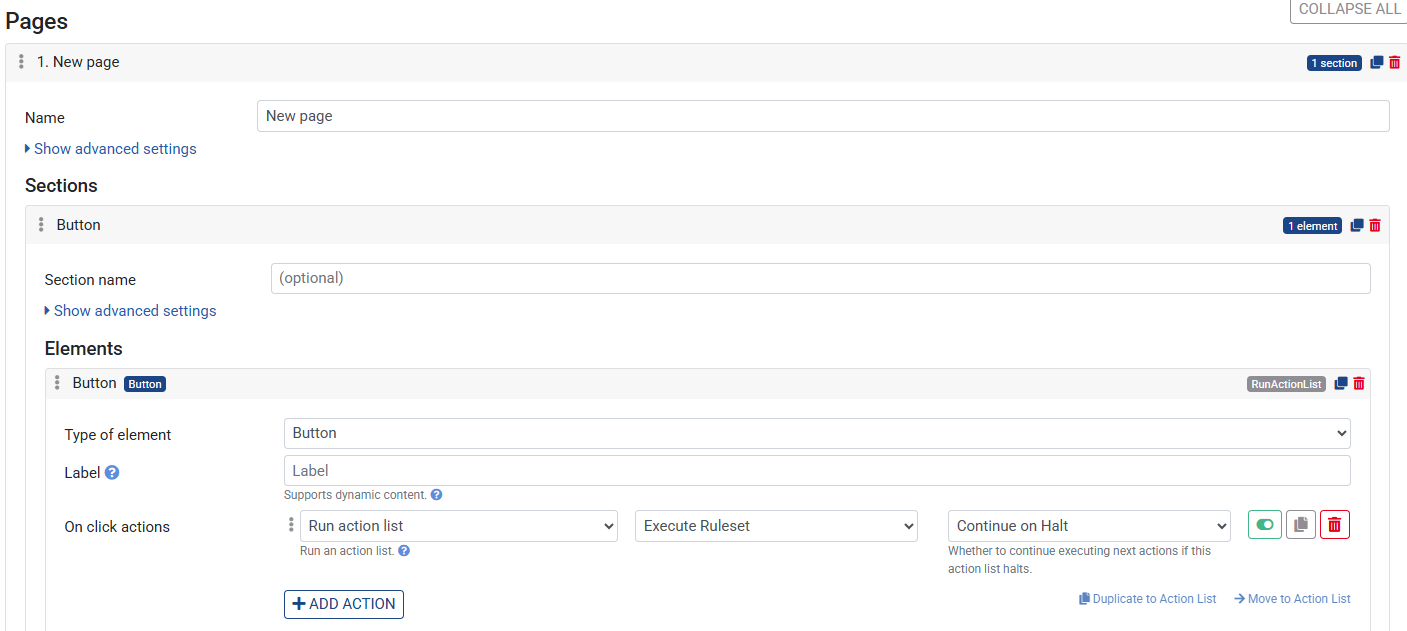
Once defined, an Action List can be called from any action trigger:
- Go to the tab Definition
- Open a Button, Input element, or Form settings
- Click + under the relevant action trigger (On click, On change, or On form loaded)
- Select Run Action List
- Choose the Action List you created from the dropdown
- Save the Ruleset
Example — shared Save behaviour
Suppose two buttons both need to execute the same ruleset and then show a toast. Without Action Lists you would duplicate these actions on both buttons. With Action Lists:
- Go to the Action Lists tab
- Create an Action List named
SaveAndConfirm - Add: Execute Ruleset → your ruleset
- Add: Show toast message → "Saved successfully"
- On each button, add a single Run Action List →
SaveAndConfirm
Now if the sequence ever changes, you only update it in one place.
Tips
- Action Lists can themselves call Run Action List — useful for composing complex flows from smaller named lists
- Give Action Lists clear, verb-first names (
SubmitForm,LoadDefaults) so their purpose is obvious at a glance - Action Lists are form-scoped — they are not shared between forms